


Restaurant booking software
Your guests book a table online, at any hour. You run the dining room from a single screen.
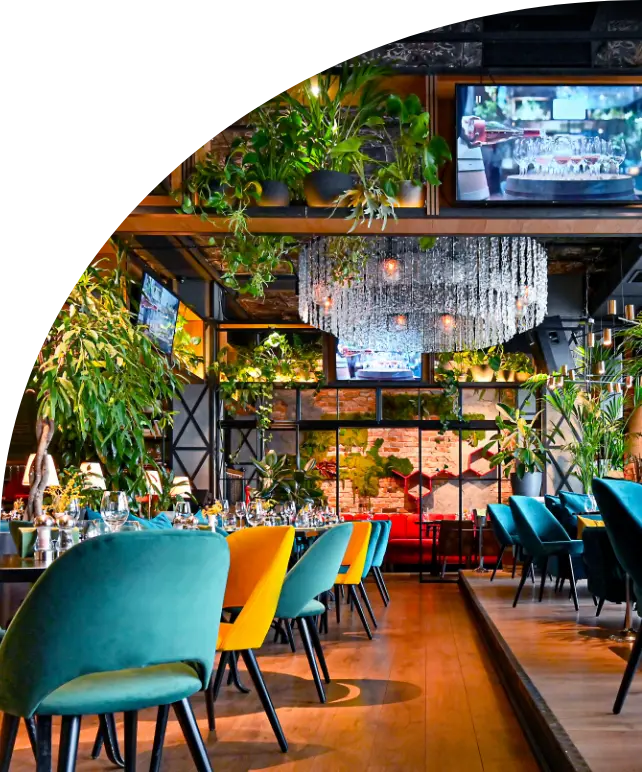
A table gets lost in three ways
The phone rings mid-service
Online booking, around the clock
Guests book on their own, even when you are closed.
The booking goes through a platform
Your own engine, no commission
The software takes nothing on your bookings.
The guest does not show up
A reminder, and a deposit if you wish
They confirm, cancel or move: the table sells again.
Your guests book in three clicks
The booking lands in your book, with no middleman.
- On every screen, with nothing to install.
- In your colours: palette, logo, terms.
- One link everywhere: website, Facebook, Instagram, Tripadvisor.
- Six languages for guests.
- Online up to the cover limit you set; above it, guests call you.
The floor plan, service after service
What is taken, what frees up, what is left to sell.
3 bookings9 guests expected · 112 seats left
- 7:00 pmMarchandTable 2 · 2 guestsBirthday
- 8:15 pmLavoieTable 5 · 4 guestsStroller
- 8:45 pmBergeronTable 10 · 3 guestsStep-free access
- Free
- Booked
- Seated
One plan per room and per service
The patio at lunch, the dining room at dinner.
Every booking assigned
To the right table, in one drag.
Icons for the welcome
Stroller, occasion, step-free access.
A digital book
From the host stand or from home.
A one-off night sells like any other
- Your seats, your time slots, your price.
- Sold out: sales stop on their own.
- A deposit on your busiest nights.
- Large groups above your limit book by phone.
- 5:30 pm 24 seats left
- 7:30 pm 6 seats left
- 9:30 pm Sold out
The table and the room, in the same booking
With the Restaurant module, the table is added to the stay in the property’s booking engine.
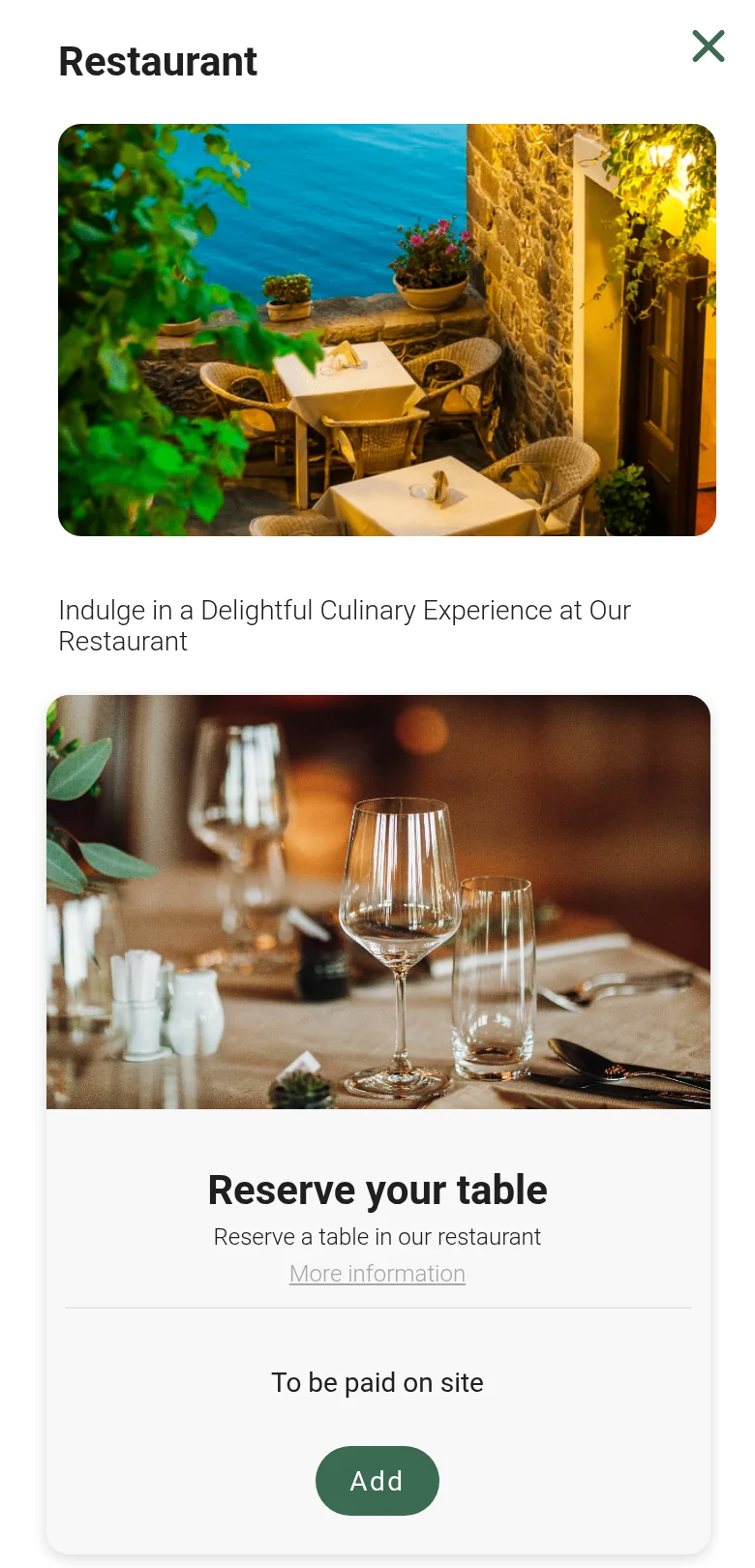
1The Restaurant option, at the add-ons step
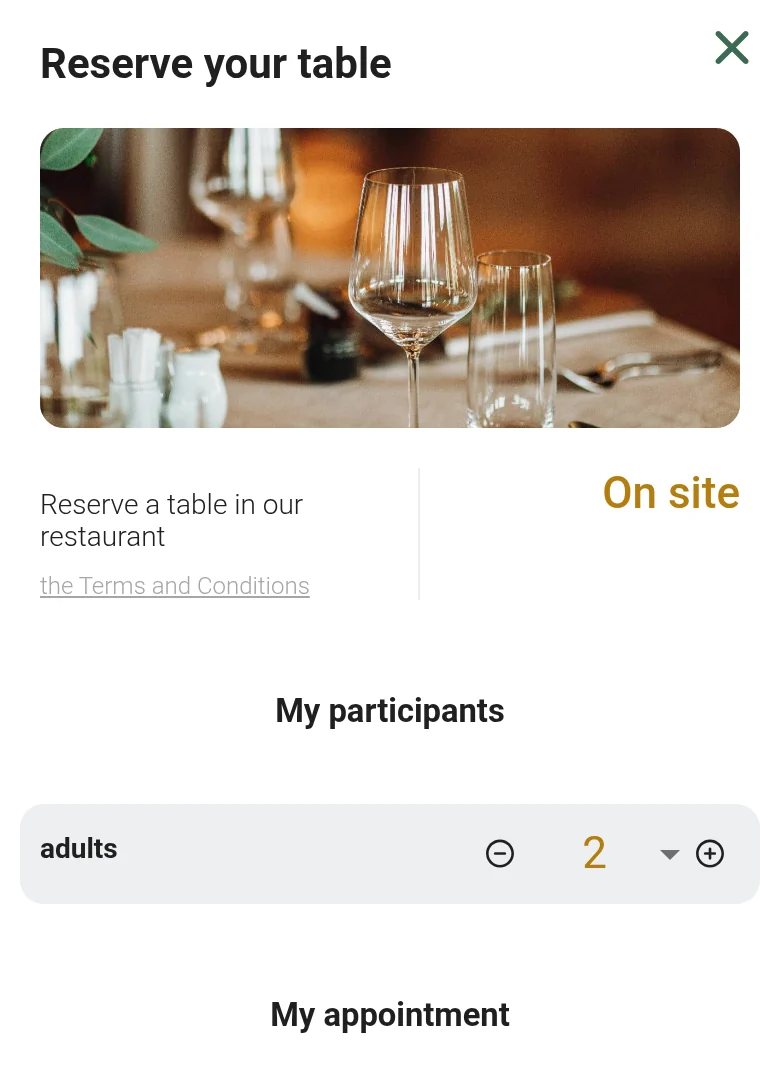
2The table: party size, then the day and the time
The room first
Then “Restaurant”, at the “Add-ons and extras” step.
The party
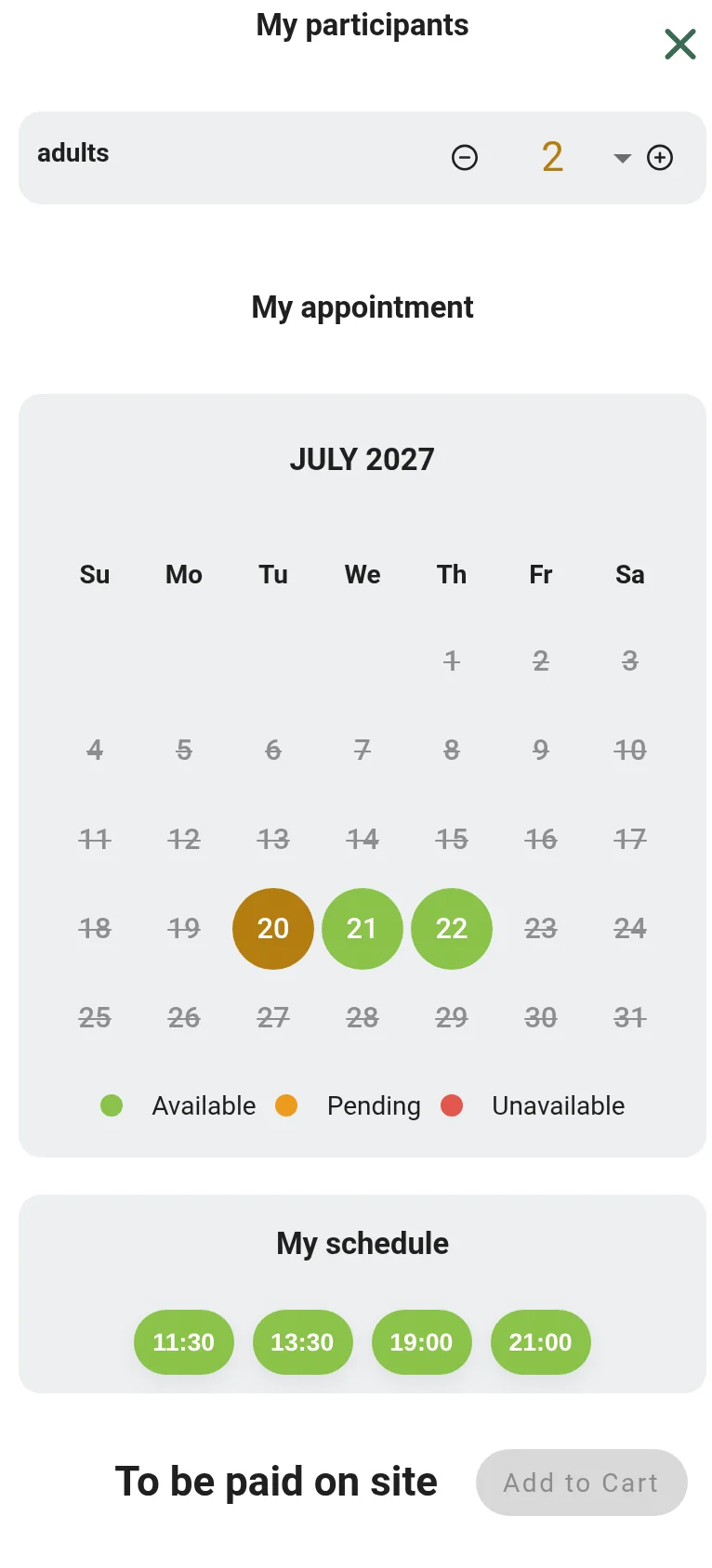
The guest enters the number of adults.
The day and the time
A day of the stay, then a service time.
In the same cart
To be paid on site, if you decide so.
More covers, no extra work
Hotel guests book their table at the same time as their room.
Evenings you can plan
You know ahead of time how many hotel guests are dining with you.
Also in the module
Reserve with Google
From Google Maps and your profile.
Deposit at booking
Or full payment.
Gift cards
For an amount or an experience.
Automatic reminders
Before every service.
From the booking to the bill
- 1
The booking
It is placed on a table; the guest gets a confirmation.
- 2
Before service
A reminder goes out; the team knows about special needs.
- 3
During service
Tables change status; you see what frees up.
- 4
After service
The guest’s profile is kept for the next visit.
35,000 properties running on Reservit
Let’s look at your room together
We start from your floor plan and your service hours.
Frequently asked questions
Does Reservit take a commission on my bookings?
No. The software takes no commission on the bookings it processes: you pay a subscription. Commissions charged by third-party platforms remain due to those platforms; the point of the module is to bring the booking back to your own engine.
Can the engine look like my restaurant?
Yes. Colours, logo, welcome text and booking terms are set in the software. The engine can be embedded in your website or opened through a link you share: website, Facebook page, Instagram profile, Tripadvisor listing.
Can I run several rooms and several services?
Yes. Each room has its own plan and each service its own hours: the patio at lunch, the dining room at dinner, two seatings on Saturday. Special evenings sit on top of regular services rather than replacing them.
Are online payments secure?
Yes. Payments are processed by Reservit, which is PCI DSS certified, the security standard of the payment card industry. You decide what is asked for at booking: nothing, a deposit, or the full amount.
Can guests book straight from Google?
Yes. The module connects to your Google Business Profile and to Google Maps. Guests book a table without leaving their search, and the request lands in your book like any other.
Do I need to run a property to use the module?
No. The Restaurant module works on its own, for a restaurant with no rooms. If you also run a property, the two come together and the table joins the room booking flow.
How does a hotel guest book a table?
With the Restaurant module, in the same engine as the room. Once the room is chosen, the guest opens the “Restaurant” category at the “Add-ons and extras” step, enters the party size, picks a day of the stay, then a service time. The table joins the room in the same cart, to be paid on site if you decide so: the seat is held, not merely suggested.
How do I sell a themed dinner or a holiday meal?
With a special evening: you set the number of seats, the time slots and the price, often with a single menu and a deposit. The engine closes sales once the evening is full, and you add or remove seats while it is on sale without touching the bookings already made. Brunches, themed nights, Valentine’s Day: it sells in the same place as everything else.
How do I keep no-shows down?
An automatic reminder goes out before the service: the guest confirms, cancels or moves the booking under your rules, and you get the table back instead of losing it. On your busiest nights, a deposit taken at booking keeps no-shows down further.
Can I sell gift cards?
Yes. You sell gift cards for an amount or for a specific experience, paid online and tracked in the software until they are used. Details on the Gift cards page.
How does the team know about special needs?
Each booking carries its icons: stroller, special occasion, step-free access. They are flagged to the team before the service; on arrival, the host knows who they are expecting and at which table.
Can international guests book in their own language?
Yes. The engine offers six languages for guests: they book in theirs, you read the booking in yours.
Where can I check my reservation book?
Anywhere: the book is digital, open from the host stand or from home, on desktop, tablet or phone. After the service, history and exports feed your analysis of how the room filled, and the guest’s profile is kept for the next visit, with their preferences.
Is the Restaurant module included in the subscription?
Restaurant is a specialized module, like spa and activities, added to the Reservit subscription only if you need it. The price depends on the type of property and the modules you choose, never on your sales volume; it is set in Canadian dollars, taxes extra, in a written offer. Details on the Pricing page.
Who helps me set the module up?
Reservit’s Canadian team, in Montreal. The module is set up with them, along with your floor plan and your service hours; training and support are part of the subscription.
Full fact sheet of the Restaurant module
What the module does In short
The Reservit Restaurant module is booking and table management software for restaurants: online booking engine, floor plan, digital reservation book, special evenings, deposits, reminders and gift cards. It works on its own, for a restaurant with no rooms, or linked to a property running on Reservit. The software takes no commission on bookings.
Why a table gets lost Three situations, three answers
- The phone rings mid-service: online booking stays open around the clock.
- The booking goes through a platform: your own engine, with no software commission; commissions charged by third-party platforms remain due on what they bring.
- The guest does not show up: a reminder goes out before the service, and a deposit can be requested.
The booking engine What guests see
- On desktop, tablet and phone, with nothing to install.
- In the restaurant’s colours: palette, logo, welcome text, booking terms.
- Embedded in the website, or opened through a link: website, Facebook page, Instagram profile, Tripadvisor listing.
- Six languages for guests; the booking lands straight in the book, with no middleman.
- Booking from Google Maps and the Google Business Profile.
Table management A floor plan that keeps up, service after service
- One plan per room and per service: the patio at lunch, the dining room at dinner, two seatings on Saturday.
- Every booking assigned to the right table, in one drag.
- Tables free, booked or seated; what is about to free up, and when.
- Icons for what changes the welcome: stroller, special occasion, step-free access.
- A digital reservation book, open from the host stand or from home.
Special evenings A one-off night, prepared like any other
- Holiday dinners, brunches, themed nights: a number of seats, time slots, a price, often a single menu and a deposit.
- The engine closes sales once the evening is full; seats can be added or removed while it is on sale, without touching the bookings already made.
- The deposit taken at booking keeps no-shows down on the busiest nights.
Restaurant and lodging The table and the room, in the same booking
- The Restaurant module adds the table to the property’s booking engine: it is booked at the “Add-ons and extras” step, right after the room: party size, day of the stay, service time.
- The table joins the room in the same cart; it can be paid on site.
- The seat is held, not merely suggested, before the guest has even arrived.
- Travellers looking for a place to sleep are also looking for a place to eat: the restaurant is there while they plan their stay.
How it runs From the booking to the bill
- The booking: the request lands in the book and is placed on a table; the guest receives an email confirmation with the time, the party size and your terms.
- Before service: the floor plan is ready and special needs are flagged to the team; the guest receives a reminder and can change or cancel under your rules.
- During service: tables change status as the evening goes; on arrival, the host knows who they are expecting and where.
- After service: history and exports feed your analysis of how the room filled; the guest’s profile is kept for the next visit, with their preferences.
Payments and gift cards Get paid before the service
- Nothing, a deposit or full payment at booking.
- Payments processed by Reservit, PCI DSS certified.
- Gift cards for an amount or a specific experience, paid online and tracked in the software.
Subscription and pricing How the price is set
- A subscription priced in Canadian dollars, taxes extra, never a percentage of your bookings: the software takes no commission.
- The price depends on the type of property, the number of units and the add-on modules you choose, never on your sales volume.
- Unlimited users: Reservit bills the software, never the user.
- Included: the ten modules of the suite, more than 50 integrations with no usage fees, updates, onboarding, training and support from a team based in Canada, by phone or by email.
- Add-on modules, only if you choose them: online check-in, guest messaging, extras and services, metasearch sites (Trivago, Tripadvisor, KAYAK…), website builder, CRM (guest records and newsletters), online reputation management, pre-arrival guest preparation, guest reviews, local listings management. The direct connection to Google is included; Google Hotel Ads advertising is optional.
- Yearly commitment, monthly or yearly payment; adding or removing units is prorated.
- A written offer, priced for your property; migration of your booking data from your previous software included in the installation price.
- Security: two-factor authentication, access logs, PCI DSS certified payment environment.
Details on the Pricing page.
Related modules The module builds on the rest of the software
- The property’s booking engine: the table is booked there with the room.
- Gift cards: sold online, tracked until they are used.
- Extras and services: activities, meeting rooms and spa treatments sold with the stay.
- Automated payments: deposits and payments.
Who it is for Restaurants in Canada
Independent restaurants, and restaurants in hotels, inns and outfitters. Reservit, founded in 1999, equips 35,000 properties. Setup and floor plan configuration with the team in Montreal.