



Offers manager
Fill your quiet weeks without cutting your rates
Packages, discounts and promo codes: created once, published on your website and your sales channels, and taken down on the date you set. Included in the Reservit subscription.
- 0% software commission
- 300+ partners available
- Canadian team in Montreal
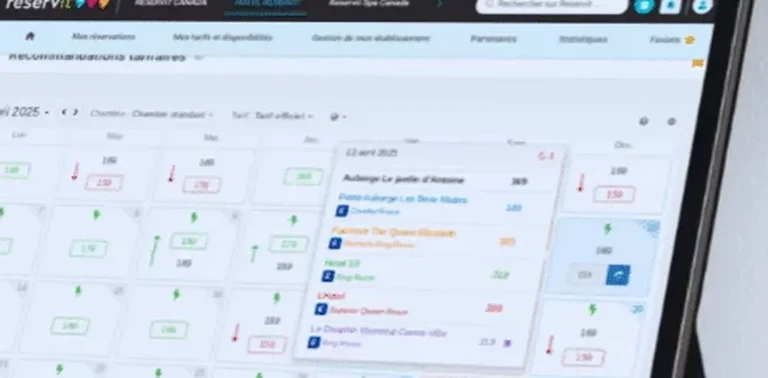
A gap in the calendar, three responses
Three ways to handle it. Only one keeps your rate intact.
Do nothing
The unit stays empty
A night left unsold can never be sold again.
Lost revenueCut the price everywhere
You discount every night
Even the ones that would have sold at full rate. And the platform still takes its commission.
Thinner marginSet up an offer
The gap fills, the rate holds
Dates, units, a channel, conditions: the offer targets only the gap you choose.
Rate protectedIn your booking engine
Travellers compare your offers side by side
They show up on your website, right when guests choose, next to your units.

Conditions apply on their own
“4 nights for the price of 3”: for a two-night stay, the offer shows as Not available. The promo code is entered on the same screen.
One package, one price, all spelled out
Champagne and chocolates on arrival, half board included: travellers see what the package includes, and its price for each unit.

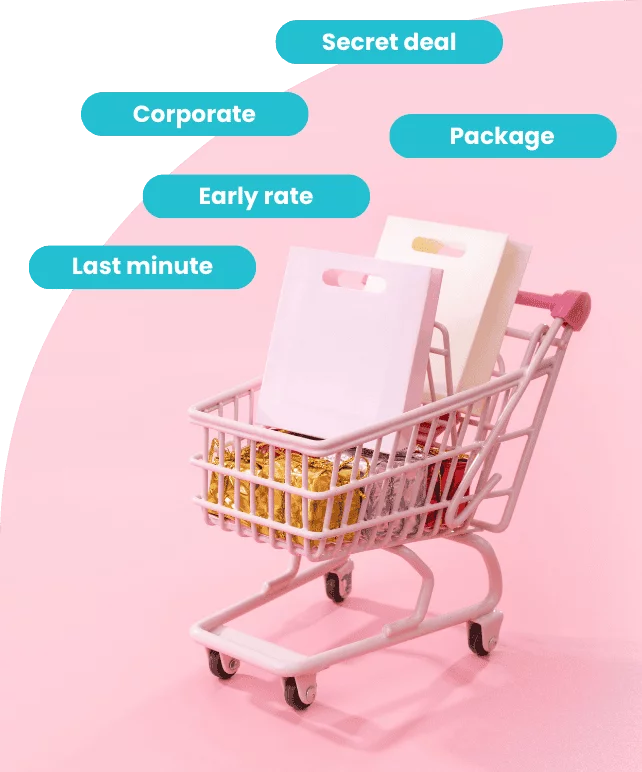
Six ways to build an offer
All of them are created in the same screen, with the same date and unit rules.
Early booking
A discount in exchange for booking well in advance.
Extended stay
Half off the third night, or the fourth night free.
Last minute
Sell tonight the units that would otherwise sit empty.
Corporate agreement
A negotiated rate, visible only to those who hold the code.
Themed package
Room, dinner and a spa treatment sold at a single price.
Subscriber offer
A rate reserved for guests who subscribe to your newsletter.
Going to market
An offer in four moves
The same process for a last-minute discount as for a holiday package.
The dates
The stay dates you target, the selling dates, the units included.
The rule
A percentage, a flat amount, a set price or a free night.
The channels
Your website only, selected platforms, or a private code.
Publishing
The offer goes out to the chosen channels and comes down on the date you set.
A last-minute package can also be launched from your phone, with the mobile app.
A well-set offer runs itself
It opens on the date you set, closes on its own, and needs nothing more from you.
On your direct sales
0%software commission. An offer kept for your website brings the booking to you.
Longer stays
A discount from the third night on lengthens the average stay.
Calendar gaps filled
March break, November, Sunday nights: every gap gets its own offer.
More direct bookings
An offer kept for your website gives travellers a reason to book with you.
You stay in control of every offer
A promotion without limits costs more than an empty room. The safeguards are built into the tool.
-
Promo codes
One code per campaign, with its duration and number of uses.
-
Chosen channels
An offer can exist on your website and nowhere else.
-
Written conditions
Minimum stay, required arrival day, non-refundable amount.
-
Reports by offer
What each offer brought in, by period and by sales channel.
Upselling
Every booking can be worth more
Breakfast, parking, a spa treatment: the offers manager bundles the unit and its add-ons into a single package, featured at the moment of booking. Activities and rentals, such as bikes, are sold as extras with the Extras and services add-on module.
$145 in add-ons on a $340 booking
Same package, two methods
| Situation | Without an offers manager | With Reservit |
|---|---|---|
| Creating a package | A separate rate, entered once per unit. | One rule, set once and applied to the units you choose. |
| Distributing the promotion | A separate entry in each platform’s extranet. | Connected channels receive the offer from the same screen. |
| Ending a promotion | A manual takedown, often forgotten. | The end date is set when the offer is created. |
| A rate for one client | A price sent by email, outside the system. | A private code, with its duration and usage cap. |
| Measuring results | A spreadsheet tally at the end of the season. | A report for each offer, available at any time. |
Let’s plan your next offer together
A demo with an advisor from the Montreal team, based on your own calendar and units.
Frequently asked questions
Do I need another tool to publish a promotion on the platforms?
No. The offer is created in the offers manager and sent to the channels connected to the channel manager. Each distributor then applies the update at its own pace.
Can an offer live on my own website only?
Yes. Channels are chosen offer by offer. A promotion can exist only in your booking engine, or appear only when a code is entered.
Does an offer remove the platforms’ commission?
No. Reservit takes no software commission on the bookings it processes, but platform commissions are still owed on the bookings that come from them. An offer exclusive to your website shifts the booking to direct: that is where the gain lies.
Can a promo code be limited?
Yes. A code has a validity period, a number of uses and the stay conditions that go with it: minimum stay, arrival dates, eligible units.
Can I sell add-ons with an offer?
Yes. An add-on can be bundled into the package or offered at the moment of booking. It has its own price, its own inventory and its own availability dates.
Do I need technical skills to create an offer?
No. An offer is created from a single screen, with no code and no changes to your website. The Montreal team helps you get started, and the documentation is available at any time.
Is the offers manager included in the subscription?
Yes. It is one of the ten modules of the Reservit suite, all included in the subscription, and the software takes no commission on your bookings. See Pricing.
What types of offers can I create?
Early booking, extended stay, last minute, corporate agreement, themed package and subscriber offer. All of them are created in the same screen, with the rule of your choice: percentage, flat amount, set price or free night.
Can I require a minimum stay or an arrival day?
Yes. Minimum stay, required arrival day and non-refundable amount are written into the offer. The engine applies the condition on its own: a “4 nights for the price of 3” offer shows as “Not available” for a two-night stay.
How do travellers see my offers?
In your booking engine, each offer has its own card: photo, name, “starting at” price. A package details what it includes and the units it applies to, with the price of each. The promo code field is on the same screen as the offers.
Do I have to remember to remove a promotion once it ends?
No. The end date is set when the offer is created: the offer comes down from the chosen channels on its own, on the date you set.
Can I see what each offer brought in?
Yes. A report for each offer shows what it brought in, by period and by sales channel, available at any time.
Can I reserve an offer for loyal guests or newsletter subscribers?
Yes. A rate can be reserved for your newsletter subscribers, and the engine also handles member rates. With the CRM (add-on module), a loyalty program rewards the number of stays or the amount spent: an advantage the platforms cannot match.
Can I launch an offer from my phone?
Yes. With the Reservit mobile app, you can open a last-minute package from anywhere.
Offers manager: full fact sheet
What the offers manager does In short
Reservit is management software for tourism accommodation, with a Canadian team based in Montreal. The offers manager creates your packages, discounts and promo codes, then publishes them on your website and your sales channels. It is part of the Reservit software and is included in the subscription.
Types of offers Six ways to build an offer
- Early booking: a discount in exchange for booking well in advance.
- Extended stay: half off the third night, or the fourth night free.
- Last minute: sell tonight the units that would otherwise sit empty.
- Corporate agreement: a negotiated rate, visible only with the code.
- Themed package: room, dinner and a spa treatment at a single price.
- Subscriber offer: a rate reserved for your newsletter subscribers.
Creating and publishing an offer Four moves
- The dates: stay dates, selling dates, units included.
- The rule: percentage, flat amount, set price or free night.
- The channels: your website only, selected platforms, or a private code.
- Publishing: the offer goes out to the chosen channels and comes down on the date you set.
A last-minute package can also be launched from the mobile app.
Safeguards You stay in control
- Promo codes: a validity period, a number of uses, stay conditions.
- Channels chosen offer by offer: an offer can exist only on your website.
- Written conditions: minimum stay, required arrival day, non-refundable amount.
- Reports by offer, by period and by sales channel.
In the booking engine What travellers see
- Each offer has its own card: photo, name, “starting at” price, for the dates and number of guests requested.
- A package details what it includes and the units it applies to, with the price of each.
- Conditions apply on their own: an offer outside its conditions shows as “Not available”.
- The promo code field is on the same screen as the offers.
Packages and upselling Every booking can be worth more
- The offers manager bundles a unit and its add-ons into a single package, featured at the moment of booking.
- An add-on has its own price, its own inventory and its own availability dates.
- Extras, such as activities or bike rentals, are sold with the Extras and services add-on module.
Subscription and pricing How the price is set
- A subscription priced in Canadian dollars, taxes extra, never a percentage of your bookings: the software takes no commission.
- The price depends on the type of property, the number of units and the add-on modules you choose, never on your sales volume.
- Unlimited users: Reservit bills the software, never the user.
- Included: the ten modules of the suite, more than 50 integrations with no usage fees, updates, onboarding, training and support from a team based in Canada, by phone or by email.
- Add-on modules, only if you choose them: online check-in, guest messaging, extras and services, metasearch sites (Trivago, Tripadvisor, KAYAK…), website builder, CRM (guest records and newsletters), online reputation management, pre-arrival guest preparation, guest reviews, local listings management. The direct connection to Google is included; Google Hotel Ads advertising is optional.
- Yearly commitment, monthly or yearly payment; adding or removing units is prorated.
- A written offer, priced for your property; migration of your booking data from your previous software included in the installation price.
- Security: two-factor authentication, access logs, PCI DSS certified payment environment.
Details on the Pricing page.
Related modules One offer, the whole software follows
- Channel manager: rates, stay rules and promotions managed from a single calendar, distributed to your channels, among more than 300 available partners.
- Revenue Management System: a 365-day view shows the gaps to fill.
- CRM (add-on module): each offer has its services to remind guests of and its inclusions to confirm; lists can be built from, for instance, the guests of one package.
- Pre-arrival (add-on module): the questionnaire is set by type of offer.
- Mobile app: a last-minute package can be opened from anywhere.
- Booking engine: offers appear on your website, with the promo code field.
Who it is for Tourism accommodation in Canada
Hotels, motels, campgrounds, inns, B&Bs, chalets and cabins, and outfitters. Reservit works with more than 35,000 properties, including more than 1,000 in Quebec. Onboarding with the Montreal team, documentation available at any time.
Key figures In short
- 0% software commission on bookings.
- More than 300 partners available.
- On average, 53% of Reservit customers’ bookings come through their own website, excluding phone bookings and walk-ins.