



Online check-in and walk-in
Your guests arrive, check‑in is already done
Form, ID, signature, then access to the unit: the guest takes care of it all from their phone.
- No kiosk to install
- Your current locks stay in place
The guest journey
The stay begins before arrival
1Booking
Website, platforms or front desk: the booking arrives, the confirmation goes out.
2Before arrival
A short questionnaire: arrival time, occupants, preferences.
- This page
3Arrival
Online check-in
ID, signature, then access to the unit.
4During the stay
SMS, email or WhatsApp, in a single screen.
How it runs
Arrival, in four steps
Guests go through them on their own phone, whenever it suits them.
The invitation goes out
A link, at the point before arrival that you set.
They fill in the form
Contact details, travellers, arrival time.
ID and signature
Identity document submitted, terms signed.
Access opens
Code, card or digital key, depending on your lock.
Everything stays in Reservit: form, documents and add-ons, on the booking.
Access management
No lock to replace
The connection sits on your existing hardware.
Keypad locks
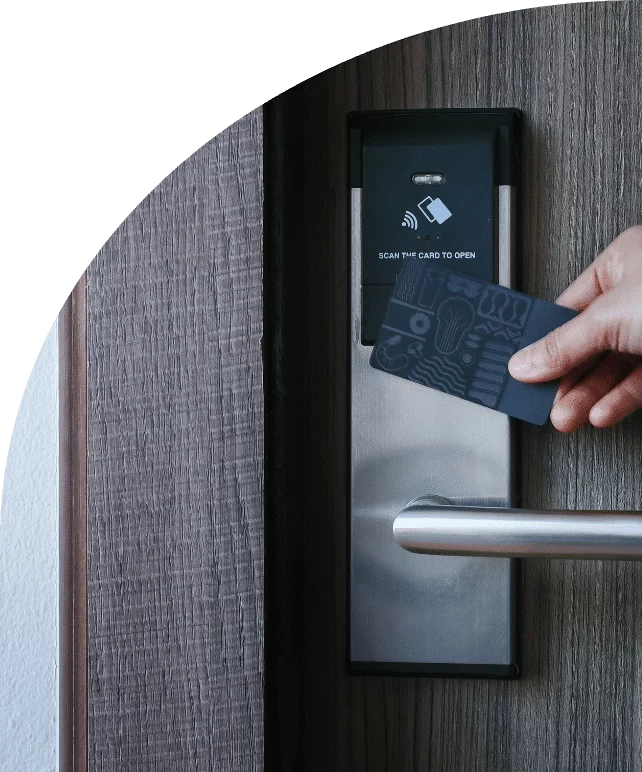
A code tied to the stay, sent once check-in is done.
Cards and fobs
The card stops working on the departure date.
Digital key
The guest’s phone becomes the key.
Lock not connected?
Check-in still works: only the key is handed over on site.
Access management
Your guests get in with the locks you already own
The check-in prepares the arrival, the access management partner opens the door. Reservit connects to the systems on the market, without replacing your locks.











No hardware
The front desk is already in their pocket
A kiosk has to be bought, installed and serviced. The guest’s phone is already there.
- Nothing to buy, nothing to have fitted in the lobby
- Nothing to service, nothing to replace
- No queue: everyone checks in on their own
Walk-in
The guest who shows up with no booking
They have their own rate, their own entry screen and their own line in your figures.
- Walk-in rates, opened or closed whenever you decide
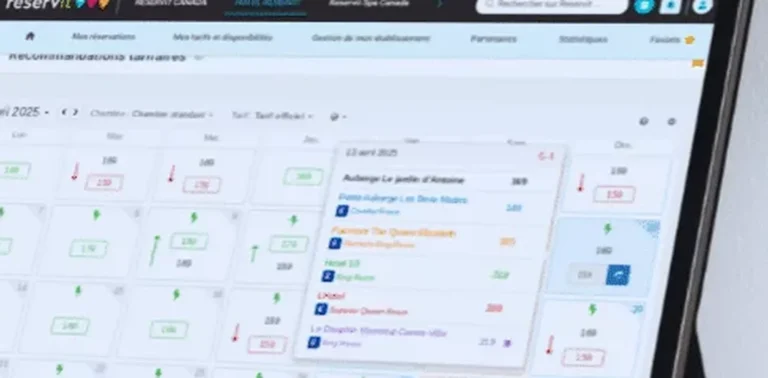
- A booking created on the spot, in the same calendar
- Walk-in sales tracked separately
Units available tonight
Walk-inSecurity
Nobody at the desk, but nothing left unchecked
The check-in partner adds what a plain form cannot do.
- Identity document submitted and checked
- Terms of stay signed online
- Guest photo, where the partner supports it
- Documents attached to the booking
Arrival form
Around the arrival
And everything around it
A guest preparing their arrival has time on their hands: the right moment.
Add-ons
Parking, activities, meals, late departure.
Chat with the guest
Their questions land before the stay, not at the desk.
All on the booking
Form, documents and add-ons, on the booking.
Balance and services are settled through your automated payments; conversations go through guest messaging.
What changes
Six situations, two ways to live them
| Situation | Without online check-in | With Reservit |
|---|---|---|
| Arrival after the desk closes | Someone waits, or the key is left in a box. | The guest gets in with their code or digital key. |
| The moment of arrival | Form filled in at the desk, one guest at a time. | Form already filled in: all that is left is the welcome. |
| Guest contact details | Retyped by hand, typos included. | Entered by the guest, on their booking. |
| Terms of stay | Paper signed, filed, then hunted down. | Time-stamped electronic signature, on the booking. |
| Extras and services | Offered at the desk, if there is time left. | Offered during check-in, settled before arrival. |
| Guest without a booking | Created by hand, lost in the rest. | Dedicated walk-in rate, sales tracked separately. |
Your guests arrive. You no longer have to wait behind the desk.
Join the 35,000 properties running on Reservit, with no commission on your bookings.
Frequently asked questions
What we get asked most often
Do we have to change our locks to use online check-in?
No. Access management partners connect to keypad locks, cards and contactless readers that are already fitted. If your model is not connected, check-in still works and only handing over the key is done on site.
Do we have to install a kiosk in the lobby?
No. The journey runs on the guest’s phone. Reservit sells neither kiosks nor locks: there is no hardware to buy or service, and no single screen to queue in front of.
What does the guest do, step by step?
They receive a link after booking, at the point before arrival that you set. They fill in the form (contact details, additional travellers, expected arrival time), submit their ID and sign the terms of stay with the check-in partner, then receive their access: code, card or digital key, depending on the lock already fitted to the unit door.
What is the difference between pre-arrival and online check-in?
One follows the other. Pre-arrival prepares the stay: a short questionnaire, sent before arrival, collects the arrival time, the occupants, preferences and consent, and fills in the guest record. Online check-in handles the arrival formalities: arrival form, ID submitted, terms of stay signed, then access to the unit through an access management partner. Without online check-in, identity checks and handing over the keys happen on site. See pre-arrival and online check-in.
Does online check-in replace the front desk?
No. It takes the typing and the paperwork out of the arrival. You stay free to welcome guests in person, and nothing forces a guest to use their phone.
What happens if a guest arrives having filled in nothing?
They are received as before. The same form opens at the desk, with the same fields, and the stay carries on without an incomplete file.
Which locks are supported?
Keypad locks (a code tied to the stay, sent once check-in is complete), cards and fobs (encoding follows the stay and the card stops working on the scheduled departure date) and contactless or digital keys, where the guest’s phone becomes the key. The access management partners are listed on the Partners page.
What does online check-in verify?
The identity document, submitted and checked; the time-stamped electronic signature of the terms of stay; a guest photo where the partner supports it; and documents attached to the booking, found without a filing cabinet.
Who keeps the identity document submitted by the guest?
The check-in partner, under the agreement signed with them. The purpose, the retention period and the guest’s consent are governed by that agreement and by your own privacy policy.
How do you handle a guest who arrives without a booking?
With rates kept for walk-ins, which you open or close whenever you decide, and a booking created on the spot in a few fields, on the same screen and in the same calendar as the others.
Are guests without a booking counted separately?
Yes. Walk-in sales are flagged as such and can be viewed separately from bookings made in advance: the statistics give them their own channel.
Can services be sold during check-in?
Yes. Parking, activities, meals, early arrival or late departure are offered during the journey. The balance and the services are settled with the payment methods already set up on your account, see automated payments.
Where do the form and the documents end up?
In Reservit, on the booking: the form, the signed documents and the add-ons sold do not go to a tool on the side. To talk with guests by SMS, email or WhatsApp, see guest messaging.
Is online check-in included in my subscription?
Online check-in is available as an add-on module to the Reservit software. Reservit sells neither kiosks nor locks; the module and the access management partner connection are presented during the demo. Managing several properties is included at no extra cost, and the software takes no commission on your bookings.
Online check-in and walk-in: full fact sheet
The module What it is
Reservit online check-in prepares the arrival from the guest’s own phone: form completed, ID submitted, terms signed, then access to the unit. It is available as an add-on module to the Reservit software, with check-in and access management partners. Walk-in serves guests who show up with no booking. Reservit is management software for tourist accommodation, founded in 1999, with a Canadian team based in Montreal.
In the guest journey Arrival
- Booking: the confirmation goes out.
- Before arrival: pre-arrival (questionnaire: arrival time, occupants, preferences).
- Arrival: online check-in.
- During the stay: guest messaging.
How it runs Four steps
- The invitation goes out: a link sent after booking, at the point you set.
- They fill in the form: contact details, additional travellers, expected arrival time.
- ID and signature: identity document submitted, terms signed with the check-in partner.
- Access opens: code, card or digital key, depending on the lock already fitted.
Access management No lock to replace
Keypad locks (a code tied to the stay), cards and fobs (encoding follows the stay, ends on the scheduled departure date), contactless and digital keys (the phone becomes the key). Without a connected lock, check-in still works: only handing over the key is left to do on site.
No hardware No kiosk, no screen
Nothing to buy, have fitted or service; no queue in front of a single screen; the partner keeps the check-in screens up to date, with no work on your side. Reservit sells neither kiosks nor locks.
Security Nobody at the desk, nothing left unchecked
Identity document submitted and checked, time-stamped electronic signature, guest photo where the partner supports it, documents attached to the booking. Identity information is collected by the check-in partner; purpose, retention period and consent are governed by the agreement signed with that partner and by your own privacy policy.
Walk-in The guest with no booking
Rates kept for walk-ins, opened or closed whenever you decide; a booking created on the spot in a few fields, in the same calendar; walk-in sales flagged and tracked separately, with their own channel in the statistics.
Around the arrival Sales and conversations
Add-ons during the journey (parking, activities, meals, early arrival, late departure), chat with the guest before the stay, everything on the booking. Balance and services settled with the payment methods already in place.
Subscription and pricing How the price is set
- A subscription priced in Canadian dollars, taxes extra, never a percentage of your bookings: the software takes no commission.
- The price depends on the type of property, the number of units and the add-on modules you choose, never on your sales volume.
- Unlimited users: Reservit bills the software, never the user.
- Included: the ten modules of the suite, more than 50 integrations with no usage fees, updates, onboarding, training and support from a team based in Canada, by phone or by email.
- Add-on modules, only if you choose them: online check-in, guest messaging, extras and services, metasearch sites (Trivago, Tripadvisor, KAYAK…), website builder, CRM (guest records and newsletters), online reputation management, pre-arrival guest preparation, guest reviews, local listings management. The direct connection to Google is included; Google Hotel Ads advertising is optional.
- Yearly commitment, monthly or yearly payment; adding or removing units is prorated.
- A written offer, priced for your property; migration of your booking data from your previous software included in the installation price.
- Security: two-factor authentication, access logs, PCI DSS certified payment environment.
Details on the Pricing page.