



Invoicing that runs itself.
The invoice builds itself during the stay, goes out at checkout and gets paid online or at the front desk.
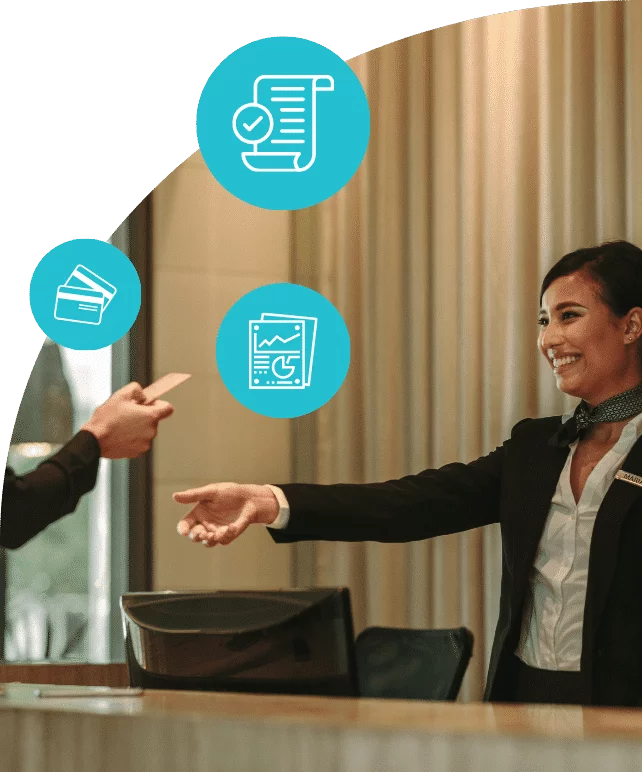
A checkout with no lineup.
Nothing to print, nothing to collect at the desk: the guest pays from their phone.
The invoice builds itself
Nights, extras, taxes and deposits post to the reservation during the stay.
It goes out at checkout time
By email, with the stay breakdown and its payment link.
The guest pays online
The receipt is sent to them; invoice and receipt stay on the reservation.
Your inn
Invoice 2026-8842
- Room 304, 2 nights $290.00
- Breakfast, 2 guests $44.00
- Lodging tax $10.15
- Sales taxes $51.54
Payment being processed…
Invoice paid
The receipt goes to the address on the reservation.
The front desk stays in control.
Automatic sending or invoicing at the desk: the same document, the same accounting entry.
Booking file
Nights, extras, taxes and deposits post to it as the stay goes on.
Automatic sending
The invoice goes out by email at checkout time, payment link included.
Invoice at the desk
Printed and settled at the front desk: card, cash, transfer or gift card.
Invoice paid
Same numbering, same accounting codes, same export.
- Automatic path
- Front desk path
A statement in three clicks.
A guest who left with a balance is no longer chased from memory.
Spot the balance
The departures list shows what is still owed, file by file.
Produce the document
A PDF lists every line of the stay, the deposits and the amount left to pay.
Send and collect
The guest receives it by email, payment link included.
Reservit — Invoicing
Today’s departures
Booking file
Ms. Olivia Parker
Checked out yesterday, $1,450.00 left to pay after the deposit.
Document preview
Statement sent
Ms. Parker received the document and her payment link.
Automation switches off per account.
Monthly invoice, purchase order, accounts payable: the company keeps its terms, the other departures carry on.
- Deferred invoicing for accounts under agreement.
- Payment terms set account by account.
- A setting changed in one click.
Invoicing settings
- Business account Agreement CA-445
- Annual agreement Agreement EE-992
- Group and event File GR-112
3 accounts under agreement Automated: 1 of 3
Restaurant and spa on the same invoice.
Grouped onto the stay invoice or billed separately: you choose.
Restaurant
Tuesday’s dinner posts to the reservation for room 204.
Spa
A treatment sold to a visitor who is not staying with you.
Activities
Bike rentals paid at the front desk or online.
Shop
An item sold at the counter, with its accounting code.
Your codes, your chart of accounts.
Invoicing bends to your accounting, not the other way around.
Accounting codes
One code per service, tax and item, set once, carried by every line.
Accounting export
To Acomba, Sage 50 or QuickBooks, with no monthly re-entry.
Your province’s taxes
GST, HST, QST or PST depending on the province, plus lodging tax, on every line.
Your accountant’s access
Rights set per user, for example limited to financial reports.
What automated invoicing changes.
| Situation | Without Reservit | With Reservit |
|---|---|---|
| Checkout | A lineup and a printed invoice | Invoice by email, or at the desk |
| Extras | Copied by hand, sometimes missed | On the reservation at order time |
| Taxes | Checked line by line | Your province’s taxes, applied automatically |
| Open balances | Chased from memory | Statement and payment link |
| Companies | A spreadsheet next to the software | One setting per account |
| Accounting | Re-entered every month | Entries exported with your codes |
commission taken by the software, whatever the amount invoiced.
See an invoice build itself on your case.
We open the software on a stay close to yours and answer your accountant’s questions.
Frequently asked questions
How does automatic invoicing at checkout work?
The software emails the final invoice at the checkout time you have set, with the stay breakdown and a payment link. The guest pays from their phone, without stopping at the desk; the invoice and the receipt stay on the reservation.
Do we have to invoice everything automatically?
No. Automatic sending is a help, not a requirement. An invoice can still be built, printed and settled at the front desk as before. The setting changes for the whole property, or account by account.
Which payment methods can the front desk accept?
Card, cash or transfer, as before, and gift cards with the Gift certificates module: the front desk agent selects the gift card as the payment method, directly in Reservit. A gift card can be combined with another payment method, and the unused amount stays on the card.
Can I keep my own accounting codes?
Yes. Every service type, tax and item takes the code from your chart of accounts. It is set once, and every invoice line carries it from then on.
Which accounting software do the entries export to?
Entries come out with your codes, in a format read by compatible accounting software, including Acomba, Sage 50 and QuickBooks: sales are no longer re-entered every month. Your reports and data can be exported at any time.
Are Canadian taxes calculated automatically?
Yes, once the taxes for your province are configured: GST, HST, QST or PST depending on the province, lodging tax and local tourism levies. They then apply automatically to every invoice line. Choosing the rates that apply to your property remains your call, and your accountant’s.
Does Reservit take a commission on the amounts invoiced?
No. The software commission is zero, whatever the amount invoiced. Distribution platform commissions and your payment provider’s fees still apply: they do not go through Reservit.
Can we invoice a customer who is not staying with us?
Yes. A meal, a treatment, an activity or a shop item can be invoiced with no stay attached. When the guest is staying with you, the service can be grouped onto the stay invoice or billed separately, as you prefer. Either way it follows the same accounting codes and the same export to your accounting software.
Can I invoice a whole group on a single invoice?
Yes. The master invoice groups the units of the block, and selected add-ons can stay on separate invoices.
How do I invoice a company that pays monthly?
Automatic sending is turned off for that account only, and the rest of the day’s departures go out as usual: deferred invoicing, purchase order, accounts payable address and payment terms set account by account. The setting changes in one click, with no call to support.
What happens if a guest leaves without paying in full?
The balance stays open on the reservation and shows in the departures list. You produce a detailed statement and send it by email with its payment link, without reopening the reservation.
Do deposits already collected show on the invoice?
Yes. Nights, extras, taxes and deposits post to the reservation as the stay goes on; the invoice and the statement list every line, the deposits and the amount left to pay. If the stay changes, you take the difference or issue the refund from the reservation.
Can our accountant have their own access?
Yes. Access rights are set per user: your accountant’s access can, for example, be limited to financial reports.
Are the invoicing tools included in the subscription?
Yes. The invoicing tools are one of the ten modules of the Reservit suite, all included in the subscription. The price depends on the type of property and the number of units, never on the amount invoiced. See pricing.
Is invoicing data protected?
Yes. Reservit complies with Law 25 in Quebec and PIPEDA elsewhere in Canada, from booking to invoice. Access is protected by two-factor authentication and access logs, and payments run through a PCI DSS certified environment.
Full fact sheet: invoicing tools
In short The module
The Reservit invoicing tools, part of the management software for tourism accommodation founded in 1999, build the invoice from the reservation, send it at checkout and get it paid online or at the front desk. They are one of the ten modules included in the subscription, with no software commission.
At checkout The automatic path
- Nights, extras, taxes and deposits post to the reservation during the stay.
- At the checkout time you set, the invoice goes out by email with the stay breakdown and a payment link.
- The guest pays from their phone; the receipt is sent to them and stays on the reservation with the invoice.
At the front desk The usual path
- The invoice is built, printed and settled at the front desk, as before.
- Payment methods: card, cash, transfer, and gift card with the Gift certificates module (a payment method in Reservit, unused amount kept on the card, can be combined with another payment method).
- Both paths give the same document, the same numbering and the same accounting entry.
Balances and statements After checkout
- The departures list shows what is still owed, file by file.
- The PDF statement lists every line of the stay, the deposits and the amount left to pay; it goes out by email with its payment link, without reopening the reservation.
- If the stay changes, take the difference or issue the refund from the reservation.
Companies and groups Accounts under agreement
- Automatic sending can be turned off account by account: deferred invoicing, purchase order, accounts payable address, payment terms set per account.
- Group: a master invoice for the units of the block, selected add-ons on separate invoices (see reservation management).
Services beyond the room Restaurant, spa, activities, shop
A meal, a treatment, an activity or a shop item can be invoiced with or without a stay attached, grouped onto the stay invoice or billed separately, under the same accounting codes. See extras and services.
Accounting and taxes Your chart of accounts
- One accounting code per service, tax and item, set once.
- Entries exported to compatible accounting software, including Acomba, Sage 50 and QuickBooks; reports and data can be exported at any time (see statistics and reports).
- Your province’s taxes: GST, HST, QST or PST depending on the province, lodging tax and local tourism levies, applied to every line once configured. Choosing the rates remains your call and your accountant’s.
- Access rights per user, for example an accountant’s access limited to financial reports.
Security and privacy Data and payments
Law 25 in Quebec and PIPEDA elsewhere in Canada, from booking to invoice. Two-factor authentication, access logs, PCI DSS certified payment environment. Payments themselves are covered on the Automated payments page.
Subscription and pricing How the price is set
- A subscription priced in Canadian dollars, taxes extra, never a percentage of your bookings: the software takes no commission.
- The price depends on the type of property, the number of units and the add-on modules you choose, never on your sales volume.
- Unlimited users: Reservit bills the software, never the user.
- Included: the ten modules of the suite, more than 50 integrations with no usage fees, updates, onboarding, training and support from a team based in Canada, by phone or by email.
- Add-on modules, only if you choose them: online check-in, guest messaging, extras and services, metasearch sites (Trivago, Tripadvisor, KAYAK…), website builder, CRM (guest records and newsletters), online reputation management, pre-arrival guest preparation, guest reviews, local listings management. The direct connection to Google is included; Google Hotel Ads advertising is optional.
- Yearly commitment, monthly or yearly payment; adding or removing units is prorated.
- A written offer, priced for your property; migration of your booking data from your previous software included in the installation price.
- Security: two-factor authentication, access logs, PCI DSS certified payment environment.
Details on the Pricing page.
Module status Included in the subscription
The invoicing tools are included in the Reservit subscription, like the booking engine, the channel manager, automated payments and statistics. No software commission on the amounts invoiced; your payment provider’s fees remain theirs. To see it on your own case: demo.