Guest reviews
Your happiest guests leave no review. Nobody asked them
The Reviews module sends a questionnaire after the stay, gathers the answers and displays the feedback on your own site. Reservit is a management platform for tourist accommodation developed in France.
- A questionnaire that follows the stay
- A reply drafted for you, never posted without you

The Reviews module is built on Qualitelis technology, integrated into Reservit.

The module
Ask, adapt, reply, measure
A review cannot be manufactured. It is asked for at the right moment, of the right person, and then it is handled.
Ask
A send triggered by the stay, not by a list kept up by hand.
Adapt
The questionnaire follows what the guest actually booked.
Reply
A drafted reply to check over, in the language of the review.
Measure
Scores per criterion, per period, per property.
The request
The right moment is right after
A request sent three weeks later lands nowhere. The module starts from the stay, not from a reminder in a calendar.
A send triggered by the stay
The guest’s departure triggers the request. Nobody has to remember to export a list on Monday morning.
Consent gathered and kept
Who agreed to be contacted, when, and through which channel. The GDPR asks you to be able to prove it, not merely to have asked.
Comments, not only scores
A score says there is a problem. A sentence says which one. Both are gathered in the same questionnaire.
An opt-out on every send
A removal link on every message, and a removal request that holds for the sends that follow.

The questionnaire
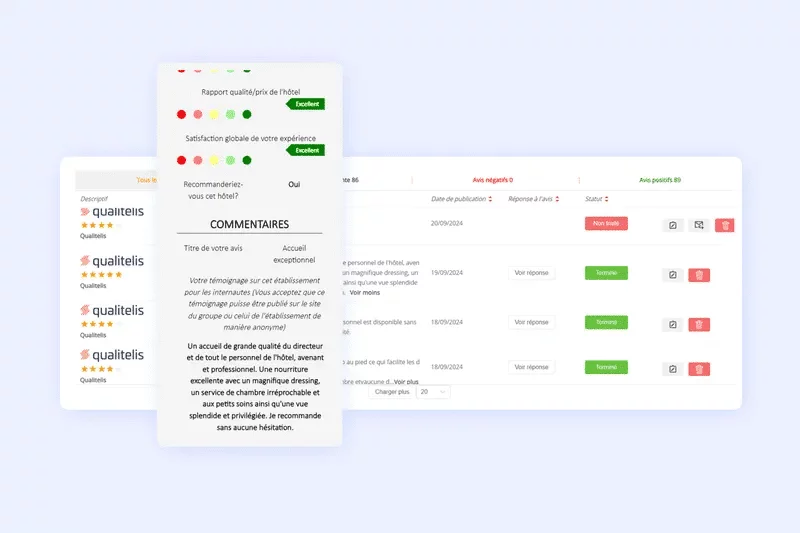
One question for everyone is an empty answer
A guest who came for dinner and a guest who came for three nights did not live through the same thing. The questionnaire knows it.
The format follows the stage
What you ask on arrival is not what you ask on departure.
The content follows the booking
Only the services actually used are worth a question.
Readable on a phone
That is where guests answer, often on the way home.
Your own styling
Your colours and your logo: the questionnaire looks like your property.
A short questionnaire gets more answers than a thorough one. That is a trade-off, and it is yours to make.
The display
What visitors see on your site
A review gathered and filed away does nothing. Shown next to the booking button, it works.
Sample published review block: average score, score per criterion, guest comment and reply from the property.
Average score
9.1/ 10
- Cleanliness9.4
- Welcome9.0
- Comfort8.5
- Value for money7.6
Spotless room and a very warm welcome. Breakfast could do with a little more choice.
Two-night stay, as a couple
Reply from the property
Thank you for this feedback. The breakfast selection is being reviewed with our supplier for next season.
Which criteria are scored, the scale and what gets published are all set at setup.
The replies
Answer every review, without losing the day to it
The slow part of a reply is the first sentence. The tool writes it, you fix it, you post it.
One draft per review
The text follows what the guest actually wrote, not a single template.
Your saved templates
For the cases that come back, and to keep one tone across the team.
The language of the review
Translation keeps you from answering in a language the guest does not read.
Sorted by what is pressing
A low score or a long comment comes up before the rest.
A reply signed by your property commits your brand: it gets read before it goes out. That is the one step the tool does not replace.


Analysis and reports
An average does not say what needs fixing
Knowing the score is falling helps nobody. Knowing it is bathroom cleanliness does.
The detail per criterion
The average hides the criterion that is slipping. The detail shows it.
Your own indicators
Recommendation, satisfaction, average: you choose what gets tracked.
By period and by segment
By season, by room type, by booking channel.
Reports that send themselves
At the frequency you choose, to the people who need to read them.
After the questionnaire
Where the answers end up
A review is not a document sleeping in a folder. It files itself into the guest’s record and shows up where it gets read.
In the guest’s record
This person’s next stay starts with what they wrote about the last one.
On your site
The review block appears on your pages, where the decision is made.
In the dashboards
Every answer feeds the indicators, with nothing re-entered.
Frequently asked questions
What people ask before getting started
Can only the positive reviews be displayed?
No, not without saying so. Consumer law governs the publication of online reviews: presenting a favourable selection as the whole of the feedback is misleading. The module lets you choose what gets published; that choice commits you, and how reviews are gathered and moderated has to stay visible.
Is consent needed before sending the questionnaire?
The questionnaire belongs to the contractual relationship with a guest who has just stayed with you; a commercial newsletter does not. The GDPR separates the two. The module gathers and keeps consents; the settings are agreed at setup, with whoever handles data protection on your side.
Do these reviews count towards my score on the platforms?
No. A review left on your questionnaire is yours: it appears on your site and feeds your indicators, but it does not change the score published elsewhere. What is published on the platforms is a separate piece of work.
How many questions should be asked?
Fewer than you would like. Every extra question costs answers; an overall score and two or three criteria are usually enough to see what is slipping.
What happens when a review is bad?
An alert can reach the right person as soon as the answer lands, following the rules you set. The review is not deleted: it is handled, and the public reply often counts for more than the review itself.
Is the module included in my subscription?
Reviews are part of Reservit Boost. Scope and pricing are set against your property; the software takes no commission on your bookings.
Ready to ask every guest what they thought?
A demo with our team, run on your own cases.